
Know where they are. Understand the journey.
Live locations, journey history and operational insights in a clean, intuitive platform. Find the answers you need quickly, whether you manage a few vehicles or a large fleet.
Book a demo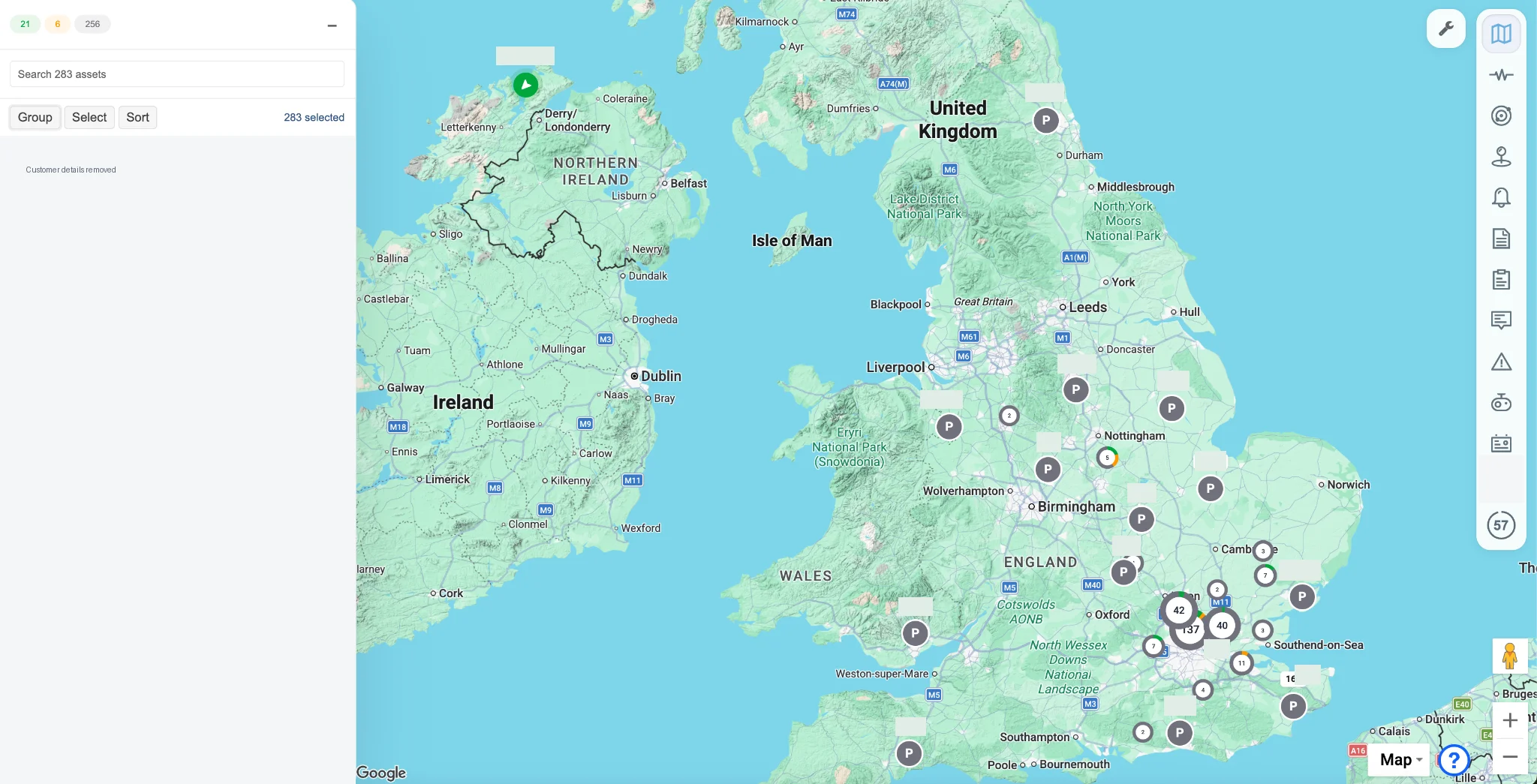
Know where they are. Find what you need.
See live locations and vehicle status across your fleet. Fast searches and flexible filters help you find one vehicle or focus on a specific group.
Map clustering keeps busy areas tidy, while status changes appear promptly, helping your team follow the working day and respond as things change.
Know where they were.
Replay journeys and see the routes taken, where vehicles stopped and how long they stayed.
Check arrival and departure times, confirm a customer visit or understand time spent on site. Get a clear record of the working day to answer questions and identify where time could be better spent.
Keep track of the places that matter.
Mark customer sites, depots and other key locations on the map with geofences. See when vehicles arrive, when they leave and how long they spend there.
Set alerts for the activity that matters to your operation, helping your team follow progress and respond when something needs attention.
Put fleet data to work.
Expand a vehicle’s details to see odometer readings, door status and fuel usage alongside its location and activity, where supported by the vehicle and installed equipment.
Use scheduled reports, alerts and CSV exports to share the information people need. Our in-house team can adapt reports and on-screen views around your operational goals.
Take your fleet with you.
See vehicle locations, check status and review journeys through the roadstream iOS and Android apps.
Whether you’re on site or away from your desk, get the information you need to answer questions and keep your operation moving.
Understand how your vehicles are driven.
Review driving events such as speeding, harsh braking and rapid acceleration alongside journey activity. See where events happened and look for recurring patterns, helping your team focus on the drivers who need support.
Use the findings to guide coaching and track changes over time.
Can we start with just a few vehicles?
Yes. We can discuss tracking or tracking with video for a small fleet. Hardware, installation, monthly charges and the minimum term will be set out in your quote.
Can you use our existing equipment?
roadstream supports multiple tracker and camera brands. Share the model details and current configuration so we can check compatibility before you commit.
What if we do not know when an incident happened?
You can find, view and download video in the roadstream mobile and web applications. If you need help, call our team. We’ll help grab the relevant footage and send you a shareable link on the roadstream platform. Available to all customers for occasional requests.
How does camera privacy mode work?
With privacy mode enabled, live streaming and video requests are blocked while ignition is off. It does not mean that recording stops. Ask us to confirm support and behaviour for your equipment.
How is installation arranged?
We discuss the vehicles, camera requirements and your location before agreeing the installation scope and quote. Coverage and scheduling are confirmed individually.
How does the video pilot work?
Run a fleet of 10 or more vehicles? Try roadstream video on 1–2 vehicles for one month at no cost, including installation. If you decide not to continue, we’ll remove the equipment at no charge.
See what a clearer
picture looks like.
Tell us what you run. We’ll show you what’s relevant.